Guide: Reclaim Dashboard
GlobeTax‘s MIDAS® Connect portal provides a streamlined reporting system that houses withholding tax relief data in an easy-to-read format. Features include a real-time view of claim recovery progress, drill-down capability, a sleek user interface, and more.
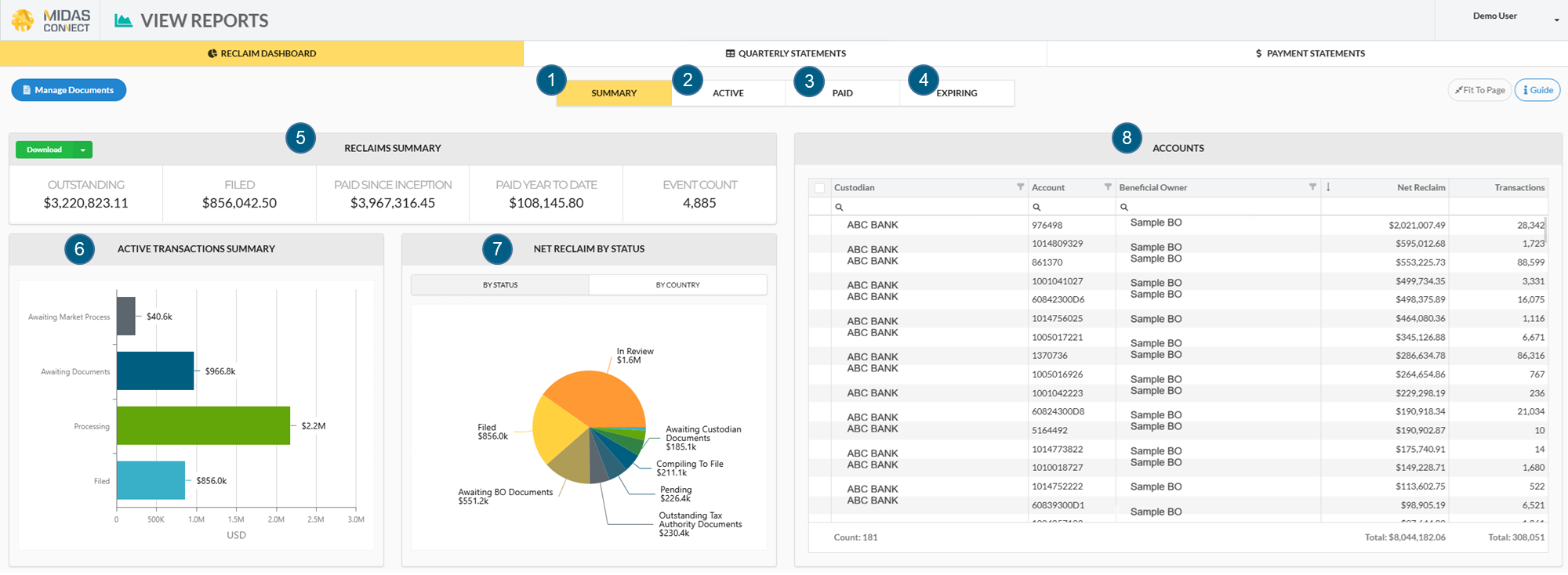
Key
Summary Tab: Provides a real-time, high-level breakdown of claim progress for all accounts.
Active Tab: Shows value of filed, but unpaid, claims and unfiled claims requiring additional documentation.
Paid Tab: Includes value of historical reclaims and associated accounts and income events.
Expiring Tab: Displays all active transactions which must be filed within the next 12 months or they will expire.
Reclaims Summary: Shows value of reclaims, filterable by item status, country, or account(s).
Active Transactions Summary: Details stage of each claim and number of claims at each stage.
Net Reclaim By Country/By Status: Visualizes active transactions by country and status.
Accounts: Lists accounts with eligible reclaims, the reclaim value, number of transactions, and names of the custodian and beneficial owner(s).
Download Reports
By clicking the green download button, you can export to Excel a report of underlying transactions or a PDF of current view of the dashboard.
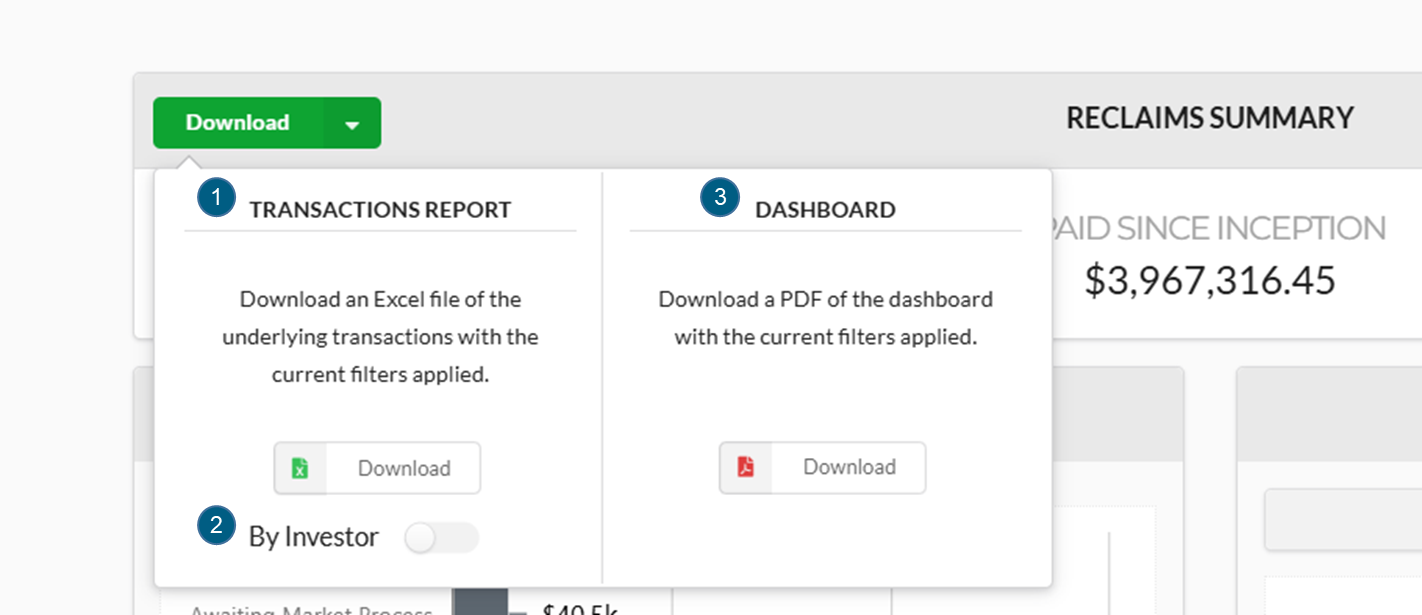
The Transactions Report contains all reclaim transactions based on the selection criteria on the Reclaim Dashboard screen.
For transparent entities, the “By Investor” toggle can be selected prior to clicking “Download” to download the Excel report with transactions broken down by investor.
The Dashboard download will export a PDF of the current view of the Reclaim Dashboard screen.